
IT Vendor Review: How to Cut Costs and Reduce Risk | GoCo
An IT Vendor Review can uncover hidden costs, risky access, and renewals. 🔎 Learn how to audit IT contracts and make smarter decisions with GoCo.
Your business may be paying for technology it no longer uses, renewing contracts it has not reviewed, or leaving third-party access active longer than necessary. An IT Vendor Review helps uncover these issues before they carry into another year. By reviewing contracts, subscriptions, access permissions, and service performance, you can make informed decisions about where to spend, what to change, and which risks need attention.
Why Review Your IT Vendors Before Year-End?
Technology vendors support essential business operations, from cloud platforms and cybersecurity tools to software subscriptions and IT support. But as a business grows, its technology environment can become harder to manage.
Services overlap, employee responsibilities change, and contracts renew automatically. A year-end review gives leadership an opportunity to confirm that each vendor still meets a business need, provides appropriate value, and follows acceptable security practices.
1. Review Contracts and Renewal Dates
Start by creating a list of active IT vendors and their agreements. For each contract, review:
- Renewal and expiration dates, including automatic renewal clauses.
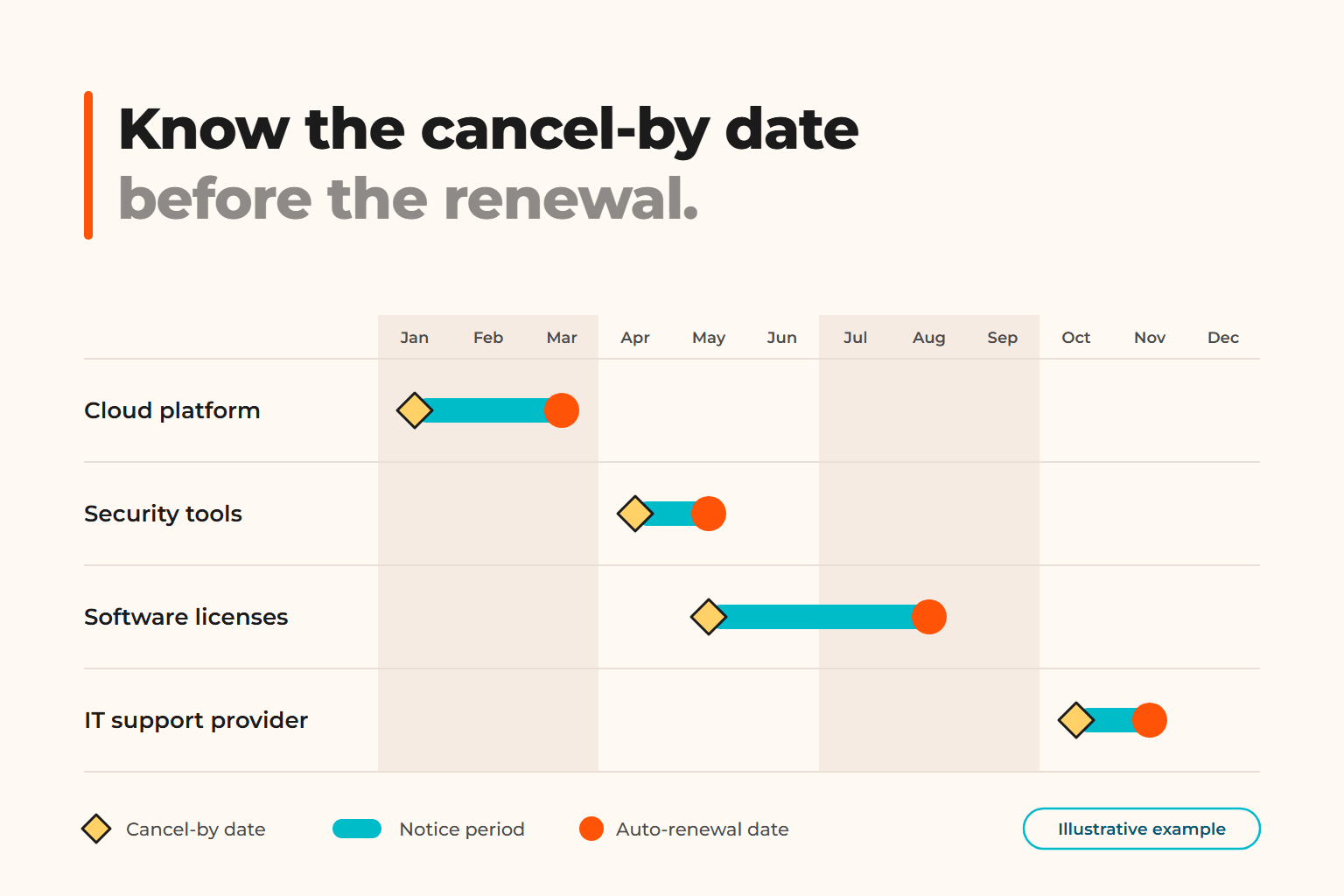
- Notice periods required to cancel or change a service.
- Pricing changes and contractual commitments.
- Service-level agreements (SLAs), support hours, and response commitments.
- Data ownership, termination requirements, and data export options.
Pay particular attention to notice periods. Discovering an unwanted renewal after the cancellation deadline may leave your business committed to another contract term.
Assign an owner to each agreement and document the decision: renew, renegotiate, replace, or discontinue.
2. Find Hidden and Overlapping Costs
The monthly subscription price rarely tells the whole story. Review invoices alongside your vendor inventory to identify expenses that may be easy to miss.
Look for unused licenses, duplicate tools, add-on features, implementation fees, premium support charges, and services billed separately from the main agreement. Also check whether different departments are paying for similar software independently.
Before canceling a tool, confirm whether it supports critical workflows, stores business data, or integrates with other systems. A lower invoice is not a saving if removing the service disrupts operations.
3. Audit Third-Party Access
Vendor access is a security concern as well as an administrative issue. External IT providers, software support teams, and contractors may need access to systems or data to perform their work. That access should be limited to a defined purpose.
Review which vendors can access your systems, what permissions they hold, and whether those permissions remain necessary. Check for inactive accounts, shared credentials, and access that persists after a contract or project ends.
Use individual accounts, multifactor authentication (MFA), and least-privilege permissions where supported. Establish a process for approving, monitoring, and removing third-party access.
4. Evaluate Performance and Business Value
A vendor can meet its technical commitments without meeting your business needs. Review whether services are reliable, support requests are handled appropriately, and recurring issues are being addressed.
Compare actual performance with contractual commitments and agreed expectations. Consider whether the vendor communicates clearly, documents changes, and helps your team plan for future requirements.
If a service consistently falls short, document specific examples before discussing corrective action or evaluating alternatives.
5. Create an Action Plan for the New Year
A useful IT Vendor Review ends with decisions, owners, and deadlines—not just a spreadsheet.
Prioritize actions by business impact and risk. Address unnecessary access and critical security gaps promptly. Schedule contract negotiations before renewal deadlines, assign responsibility for unused licenses, and document decisions about replacing or consolidating tools.
For complex environments, an IT advisor can help connect vendor decisions to your wider technology strategy, security requirements, and operating budget.
Make Your IT Vendor Review Count
The goal is not to reduce technology spending at any cost. It is to ensure that your business pays for services it needs, manages vendor access responsibly, and receives the support it expects.
GoCo helps businesses take a structured approach to IT operations, vendor relationships, and technology decisions. If you need a clearer picture of your current IT environment, talk to a GoCo specialist about reviewing your vendors and identifying practical next steps.
A more organized vendor environment can support better cost control, stronger access management, and more informed decisions throughout the year.
If you found this article helpful, be sure to visit our latest piece on our Blog for more insights.
Technology decisions shouldn't be based on trends, they should support better business outcomes.
Explore our latest LinkedIn articles, where we share practical insights on Managed IT Services, cybersecurity, governance, operational excellence, and the strategies helping businesses reduce risk and scale with confidence.
Because better decisions start with better understanding.
Good Company IT
GoCo
You are in Good Company