
IT Outage: How to Protect Your Business Backups | GoCo
An IT Outage can disrupt your business. 🔒 Learn how backup and disaster recovery plans protect critical data. Check your readiness with GoCo.
An IT outage can stop employees from accessing files, disrupt customer service, and interrupt essential business operations. Having backups is important, but it does not guarantee that your business can recover quickly. The real test is whether your data can be restored, your systems can resume working, and your team knows what to do when something goes wrong.
For small and mid-sized businesses (SMBs), checking backup and recovery readiness before an incident can reveal gaps that are easy to overlook during normal operations.
Why Having Backups Is Not Enough
Backups protect copies of data. Disaster recovery focuses on restoring the systems and services your business needs to operate after a disruption.
A backup job may report success while critical files remain missing, recovery takes longer than expected, or the backup environment is affected by the same incident as your production systems.
Hardware failures, accidental deletions, ransomware, software issues, and cloud service disruptions can all affect availability. Your recovery plan needs to account for the systems and data that matter most to your business.
5 Things to Check Before an IT Outage
1. Identify Your Critical Systems and Data
Start by listing the applications, files, and services your business needs to function. These may include accounting platforms, customer records, electronic health records, inventory systems, shared files, or operational software.
Identify who owns each system and which business activities depend on it. This helps determine what must be restored first if multiple services become unavailable.
2. Verify That Backups Are Running
Review backup schedules, completion reports, retention settings, and failure alerts. Confirm that critical systems and data are included rather than assuming every device or application is protected.
Also check where backup copies are stored. Separate or isolated copies can help reduce the risk that one incident compromises both production data and its backups. Access to backup systems should be restricted and protected with strong authentication.
3. Test Whether You Can Restore Data
A successful backup does not prove that recovery will work.
Perform restoration tests using representative files, databases, or systems. Confirm that restored data is usable, applications function as expected, and the recovery process is documented.
Record the results, including any missing data, failed steps, or unexpected delays. Assign responsibility for fixing identified problems and schedule another test.
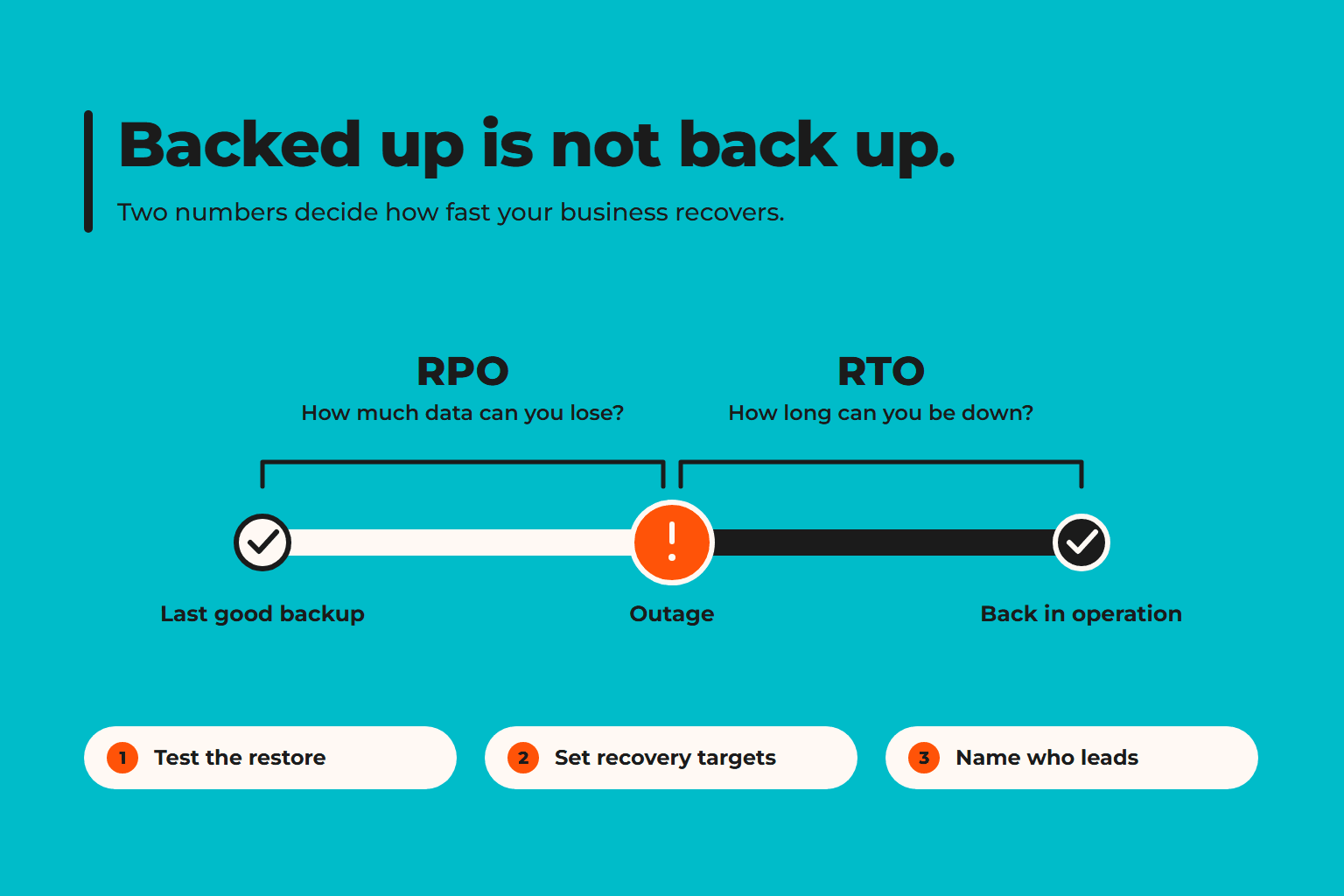
4. Define Recovery Time and Data Loss Tolerances
Two questions help shape a practical recovery plan:
- Recovery Time Objective (RTO): How long can a system remain unavailable before the disruption becomes unacceptable?
- Recovery Point Objective (RPO): How much data loss, measured in time, can the business tolerate?
Different systems may require different targets. A critical operational platform may need faster recovery than an archive used occasionally. Set targets based on business impact, technical feasibility, and available resources.
5. Make Sure Your Team Knows the Recovery Process
A recovery plan should explain who declares an incident, who contacts technology providers, how priorities are decided, and how employees receive updates.
Document escalation contacts and recovery steps somewhere accessible if your primary systems are unavailable. Review the plan with the people responsible for executing it, and test it periodically.
What Should Your Business Do Next?
Use the checks above to identify gaps, then prioritize them by operational impact. Address failed backups and untested recovery procedures before focusing on less critical improvements.
If your business depends on multiple applications, cloud services, or external IT providers, a structured assessment can help clarify recovery priorities, responsibilities, and dependencies.
Prepare Before the Disruption Happens
You cannot prevent every IT outage, but you can improve your ability to recover from one. Reliable backups, tested restoration procedures, clear recovery targets, and an assigned response team provide a stronger foundation for business continuity.
GoCo helps businesses evaluate their IT operations, identify practical improvements, and plan for disruptions. Talk to a GoCo specialist to review your backup and recovery readiness and determine what needs attention before an outage occurs.
If you found this article helpful, be sure to visit our latest piece on our Blog for more insights.
Technology decisions shouldn't be based on trends; they should support better business outcomes.
Explore our latest LinkedIn articles, where we share practical insights on Managed IT Services, cybersecurity, governance, operational excellence, and strategies that help businesses reduce risk and scale with confidence.
Because better decisions start with better understanding.
Good Company IT GoCo
You are in Good Company